Voice-control coding agents
from anywhere
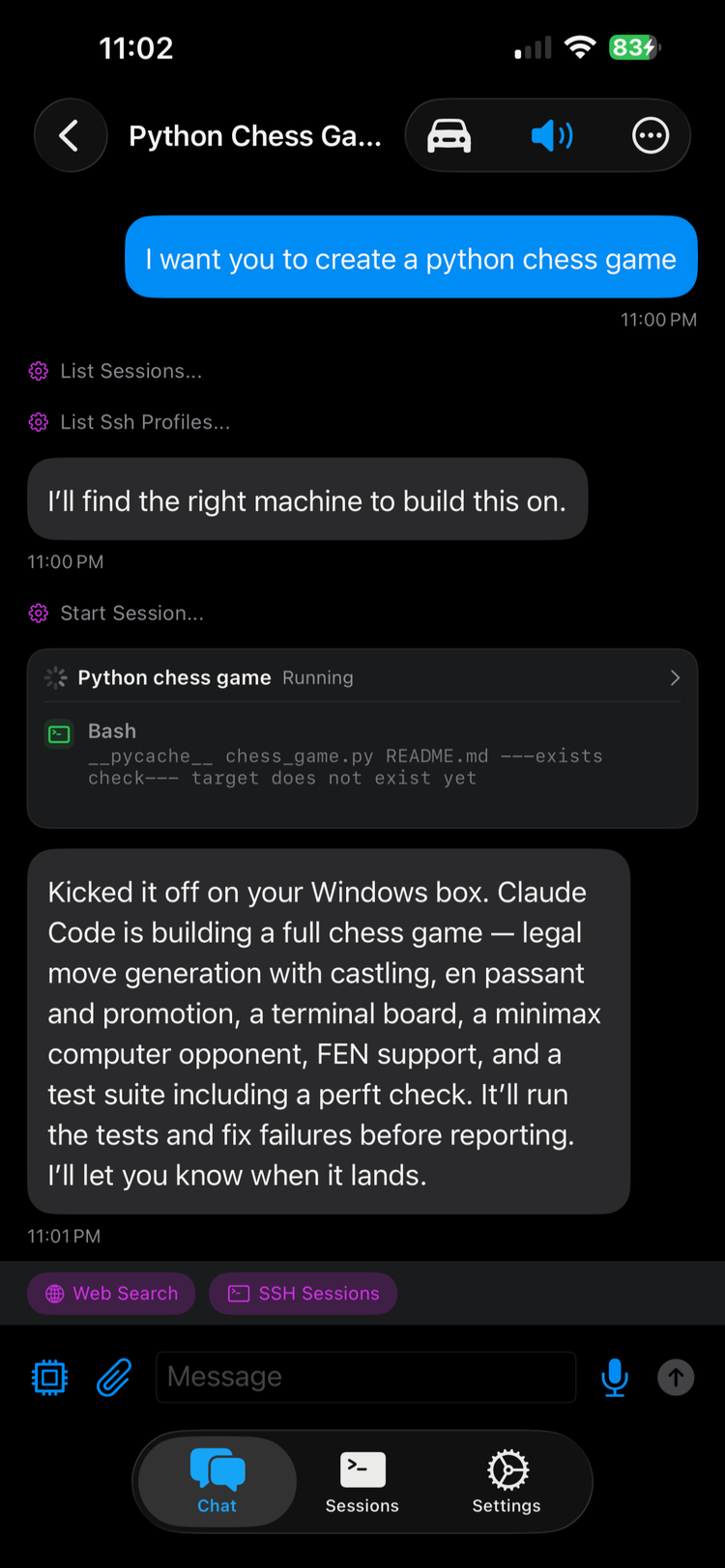
DashVox is a voice-first IDE for AI coding agents. Turn your commute into coding time: start and steer Claude Code and Codex sessions running on your own machine, over SSH, by voice, while you drive. Or with your phone in your pocket and earbuds in, on a walk, or away from the desk. Use it from the phone app, your car (CarPlay / Android Auto), or your watch. Works with any LLM, including Claude, GPT, and Gemini.
Built for your ears, not your eyes: agent output is spoken and summarized, approvals are verbal, and the screen is optional by design.
The self-hosted backend is free. Run it on your own machine. Or skip the setup with DashVox Cloud Ultimate: a fully managed VM with pre-configured coding agents, ready to go.
Agent via SSH:
frontend: running tests, 3 passing
backend: awaiting approval on migration
tests: completed, all green
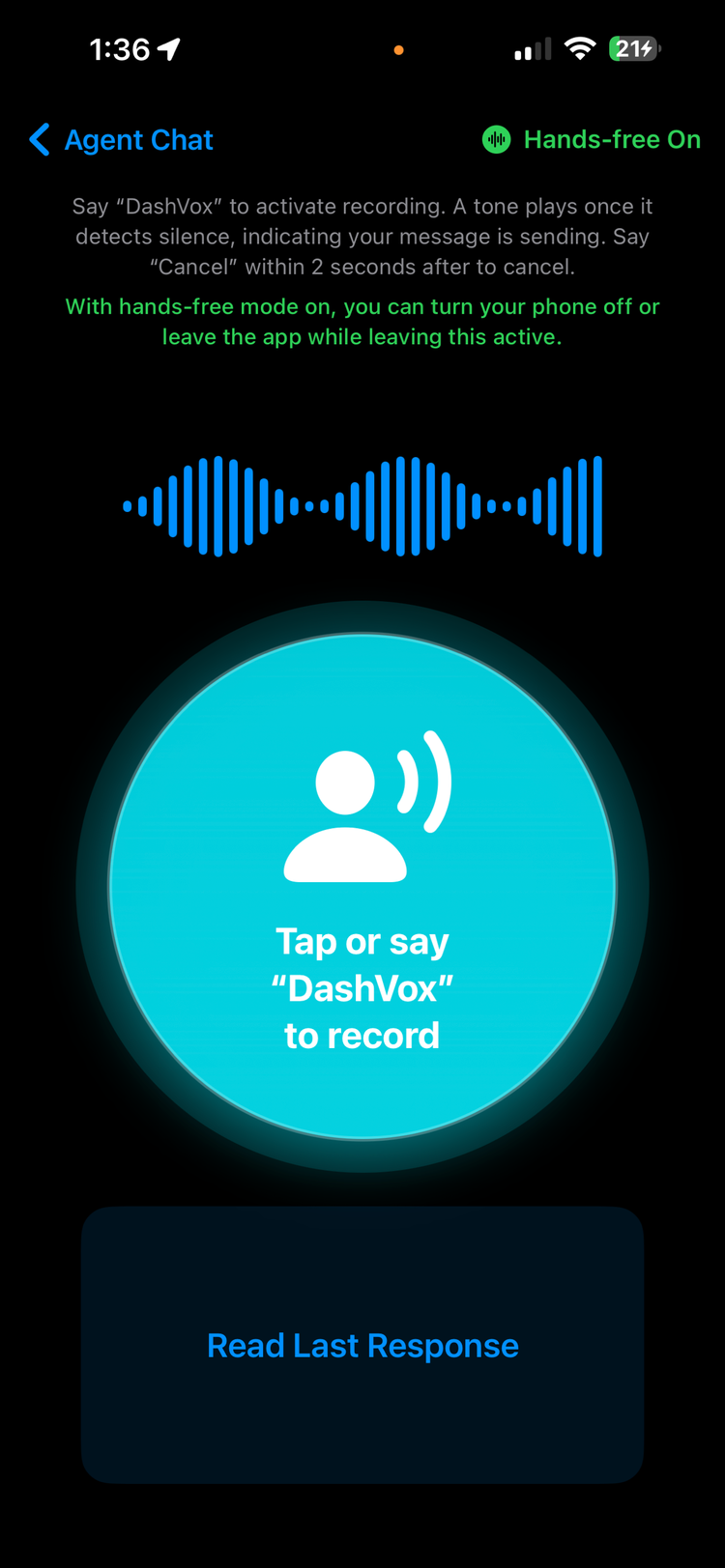
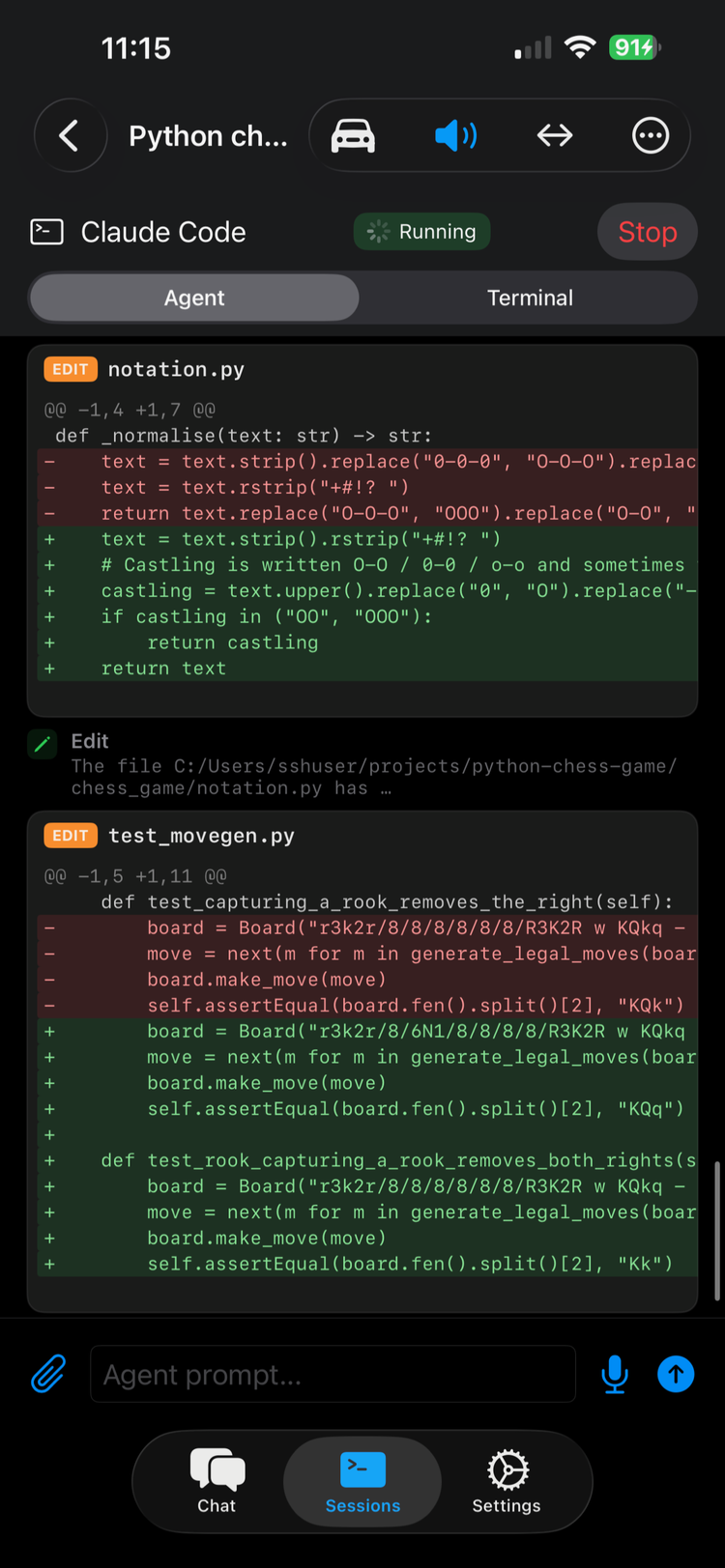
See it in action
DashVox, hands-free
Off the screen
Get outside without falling behind
You should not have to sit at a screen to keep building. Go for a walk, hit the gym, run errands, actually get outside, and stay productive the whole time. Your code runs on your own machine and you drive it by voice, with nothing to read or type. It matters most when something breaks while you are out: you connect over SSH and start triaging the moment the alert hits, fully hands-free by voice from a phone or watch, or from the car with a native CarPlay app. You start fixing it when it breaks, not after you get back to a computer.
Triage from wherever you are
Get the alert away from your desk, pull up the machine by voice, and see what is happening before it grows into an outage.
Run checks over SSH
Tail logs, run health checks, and restart services by voice from your phone, watch, or car. No laptop required.
Shrink time to first action
The sooner you can look, the smaller the blast radius. DashVox removes the wait to reach a keyboard.
Rolling this out across a team? See DashVox for teams for seats, budgets, SSO, and admin controls.
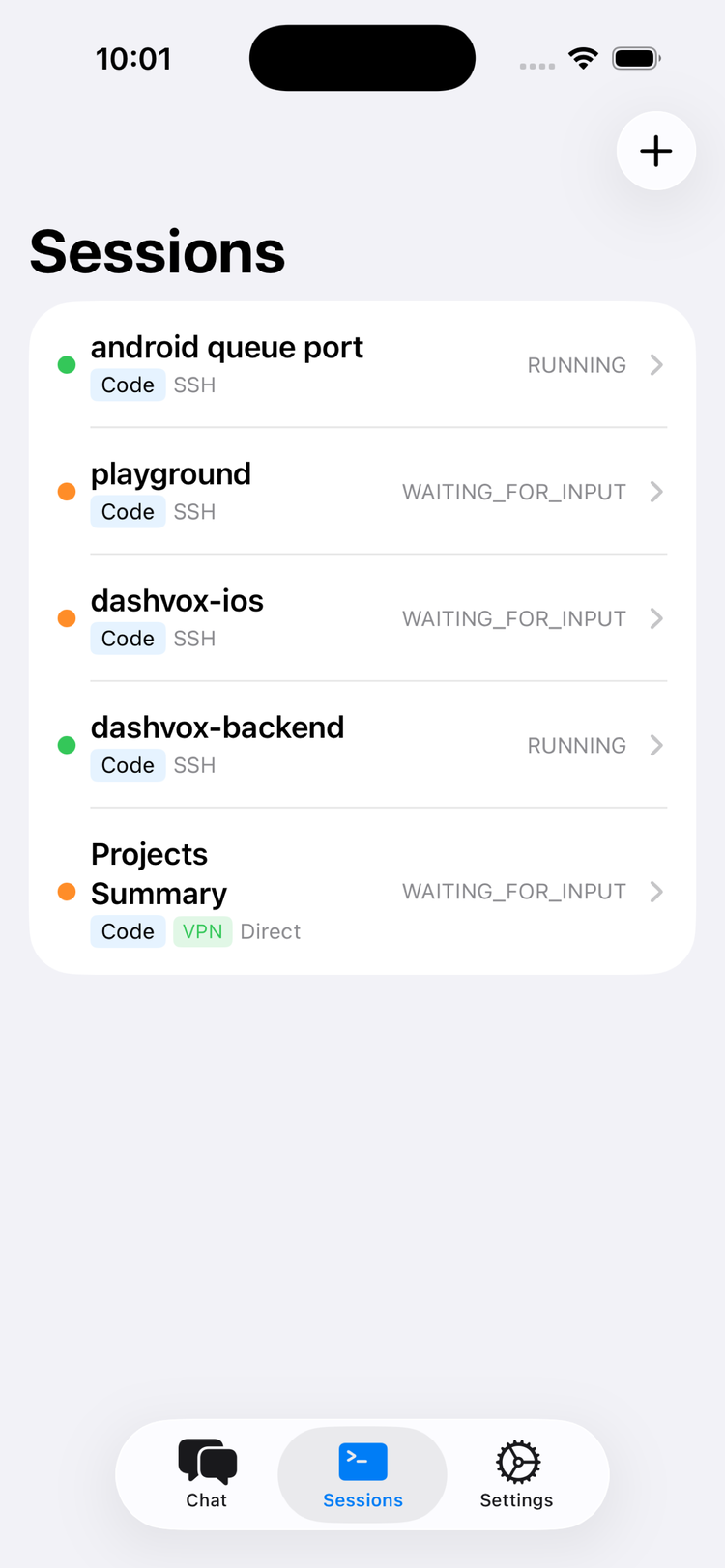
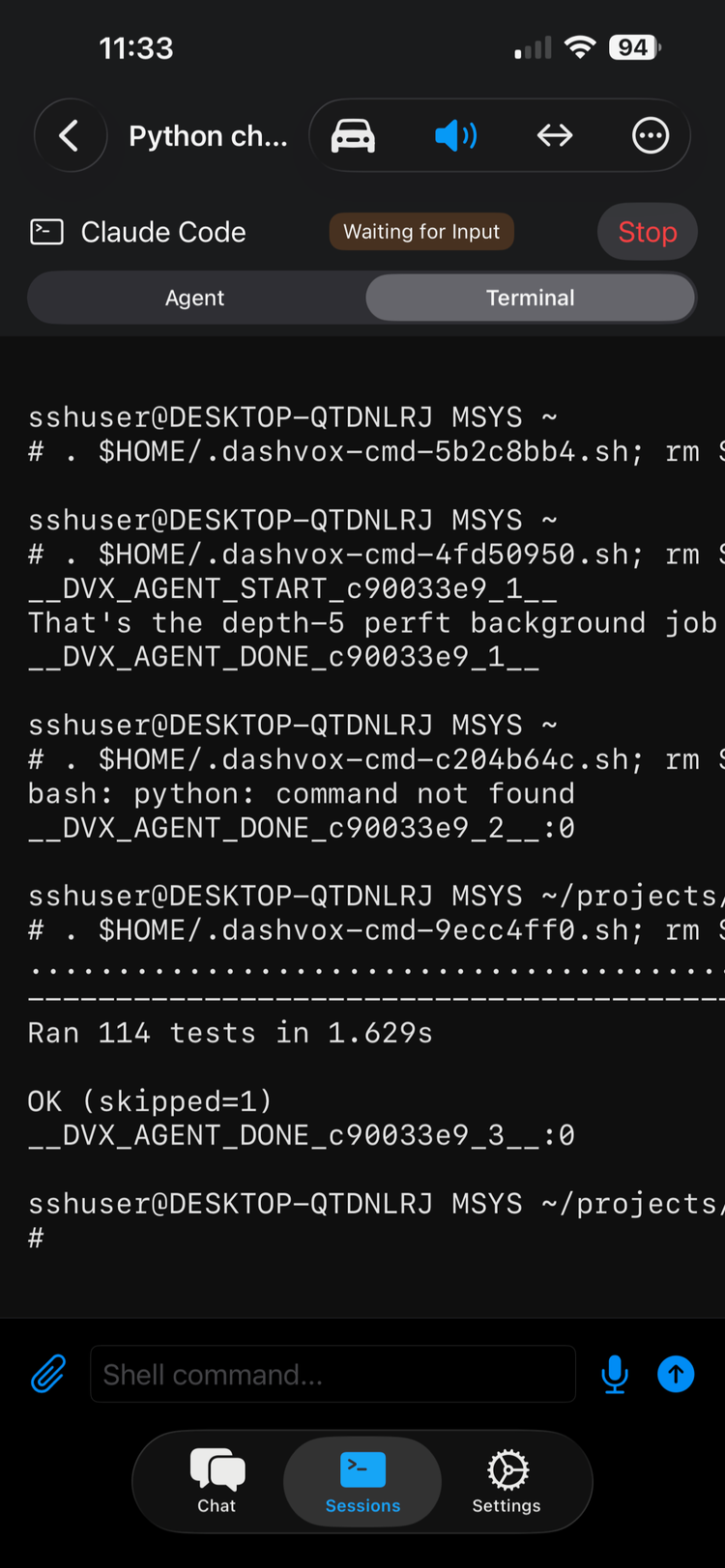
Reclaim your commute
You could be coding right now
Most developers lose close to an hour a day to the commute. DashVox turns that drive into coding time: review diffs, approve steps, and steer Claude Code or Codex sessions while you're stuck in traffic, reclaiming time you'd otherwise lose. Code while driving, fully hands-free with your phone's voice-driven mode, or from the native CarPlay app's simple controls.
Fully hands-free mode
Put your phone on the dash and use the voice-driven driving mode: speak your request, hear the reply, no taps. No CarPlay needed, so it works in any car.
Native CarPlay controls
Prefer CarPlay? Open a chat and use simple controls: press the main button to record, press to send, back to cancel. Glanceable, the way CarPlay is meant to be used.
Spoken output, eyes up
Either way, agent output is read aloud and summarized, so you keep your eyes on the road.
DashVox is voice-first and designed to minimize distraction while driving, but you are always responsible for driving safely and following local law.
Capabilities
Everything you need,
nothing you don't
Voice-First AI Chat
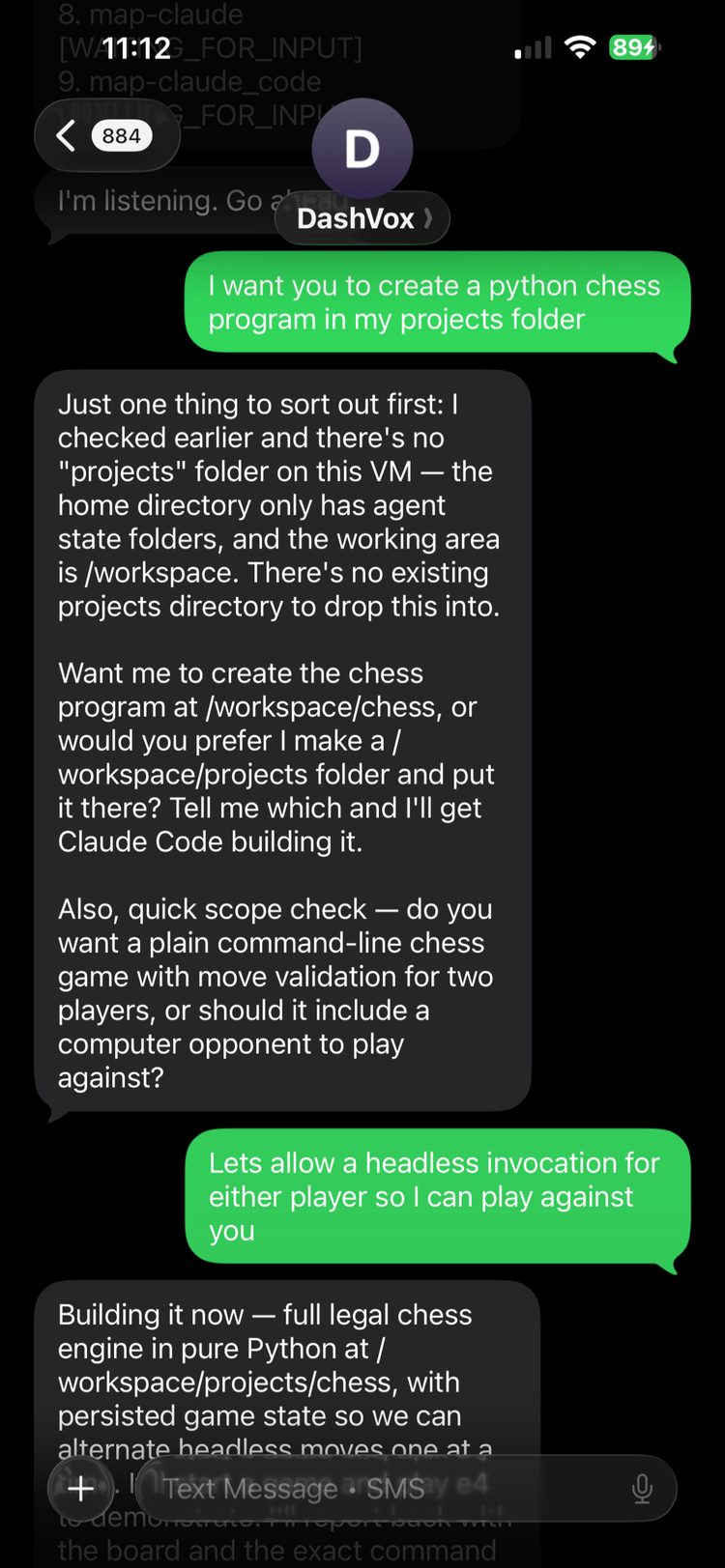
Talk to any LLM (e.g. Claude, GPT, Gemini) right on your phone, hands-free while you drive, from CarPlay, or on your watch. Responses read aloud, input via speech.
Remote Session Management
SSH into your dev machine from wherever you are. Start, stop, and switch AI coding sessions. Approve prompts and check output by voice.
Agent Mode
Your AI autonomously manages multiple coding agent sessions (e.g. Claude Code, Codex). Tell it to spin up frontend, backend, and test sessions, and it handles everything.
Web Search Integration
AI can search the web on your behalf and summarize results. Stay informed without touching a screen.
Smart Connectivity
Exponential backoff, background ping, auto-resume. Idempotent message delivery means no duplicates after dead zones.
Security First
Self-host and no account is needed: no Firebase, your code and data never leave your machine. Cloud mode adds Firebase Auth sign-in and stores your SSH keys server-side to connect on your behalf, with at-rest encryption planned.
Workflow
Three steps to AI on your commute
Open the app on phone, car, or wearable
Use DashVox on your phone, or in the car: a fully hands-free, voice-driven driving mode (phone on the dash) plus native CarPlay and Android Auto apps with simple controls. Voice replies reach Apple Watch and Wear OS too.
Speak your request
Voice is transcribed in real-time. Ask questions, start coding sessions, or search the web.
AI responds aloud
Responses are spoken via TTS. Review summaries on the display, and approve actions by voice or with a single CarPlay control.
Built with
Why DashVox
How it compares to the alternatives
Want to code away from your desk today? Your realistic options are a cloud AI sandbox, an SSH app on your phone, or hauling your laptop everywhere. Here is where each falls short, and what DashVox does instead.
A cloud AI sandbox
Runs in a fresh, disposable box that resets when the session ends. It can clone your repo, but it is not the machine where your services are running, your environment is configured, or your uncommitted work lives.
DashVox
Connects to your real machine over SSH, or a managed VM you control, so the agent works in your actual environment, against your running services and uncommitted changes, not a throwaway copy.
An SSH app on your phone
A tiny terminal you have to read and type into, with no hands-free or screen-free use. On iOS it gets worse: the app cannot hold the connection in the background, so your SSH session drops about 30 seconds after the screen turns off or you leave the app. iOS enforces that on those apps.
DashVox
Your session lives on the DashVox backend, not the phone app, so it keeps running with the screen off or the app closed. Voice-first: output is spoken and summarized, and you drive it hands-free by voice or with a couple of glanceable CarPlay controls.
Carrying your laptop with you
You can bring the laptop, but you still have to stop, sit down, open it, and use both hands and eyes. There is no doing it while you drive, walk, or step away, and it is no help when something breaks before you can get to it.
DashVox
Leave the laptop behind. Your machine stays where it is, and you drive the agent by voice from your phone, watch, or car, so work and incident response do not wait for you to sit down.
Platform
Available everywhere you go
iOS / Apple Watch
Native SwiftUI app with CarPlay support. Voice reply from Apple Watch via mirrored notifications.
Download on the App StoreAndroid / Android Auto
Android Auto ready. Voice reply also works from Wear OS watches via connected-device notifications.
Coming soonSelf-Hosted Server
Run the backend on your own machine. Java 21, cross-platform. All data stays local.
Learn moreFAQ
Frequently asked questions
Can I use Claude Code while driving?
Yes. Put your phone on the dash and use the fully hands-free, voice-driven driving mode: speak your request, hear the reply, no taps. Or run it from the native CarPlay app with simple press-to-talk controls (press to record, press to send, back to cancel). Either way the agent runs on your own machine over SSH, or on a managed DashVox Cloud VM, and reads its output back to you aloud.
Can I code from my phone?
Yes. DashVox lets you code from your phone by driving AI coding agents (Claude Code, Codex) that run on your own machine. It handles the SSH from your phone for you, so you get remote agent control without a terminal: start tasks and tests by voice, hear results read back, and approve steps, all from the phone app, your watch, or the car.
How do I run coding agents from CarPlay?
Install the DashVox iOS app, connect your dev machine under Settings → SSH Profiles, then open DashVox from the CarPlay display. It's a native CarPlay app with simple controls: open a chat, press the main button to record your request, press again to send (or back to cancel), and the agent's replies are read aloud. Prefer not to use CarPlay? The phone's hands-free driving mode does the same thing fully by voice.
Does it work on Apple Watch?
Yes. You get spoken session updates and can reply by voice from Apple Watch (and Wear OS on Android) via mirrored notifications, useful when you step away from the car too.
Do I need my own machine to use it?
No. Self-hosted mode runs on your own hardware for free, but if you would rather not run anything yourself, DashVox Cloud Ultimate gives you a managed VM with pre-configured coding agents, ready to go.
Is it safe to code while driving?
DashVox is designed to keep your eyes on the road. The fully hands-free driving mode works by voice alone, like taking a phone call, while the CarPlay app keeps interaction to a few large, glanceable controls, the way CarPlay is meant to be used. Agent output is always read aloud. You are still responsible for driving safely and following local law.
Do I have to look at the screen to use it?
No. DashVox is built ears-and-speech-only: agent output is read aloud and summarized, and you approve actions by voice. The screen is there when you want it, never required.
Is DashVox a voice-first IDE?
Yes. DashVox is a voice-first IDE for AI coding agents. Instead of typing in an editor, you run, steer, and review Claude Code and Codex sessions by voice over SSH: start tasks, run tests, approve steps, and hear results read back from your phone, watch, or car. Some people call it a voice IDE or voice coding environment.
Which AI models does DashVox work with?
Any major LLM, including Claude, GPT, and Gemini, plus custom endpoints for self-hosted or enterprise models. You can switch models mid-conversation.
Can my company use DashVox?
Yes. DashVox Enterprise gives teams managed cloud machines, org-level seats and budgets, SSO, and admin controls. Contact sales on the Enterprise page.
Can my team respond to incidents with DashVox?
Yes. Whoever is on call can connect to your machines over SSH and triage by voice from a phone or watch: check logs, run diagnostics, restart services, and run tests before reaching a laptop. It is built for software teams that ship and support their own code, from lean SaaS startups to larger orgs. See the Enterprise page.
DashVox is on the App Store
Download DashVox for iOS now. Android is approved with a public beta on the way. Both unlock the voice-first experience on your phone, car, and watch.